How to design a CRM that remembers who worked with whom
Lark Print wants its order form to skip weekends when a customer picks a delivery date. Ellis built the form, but he’s moved companies. Who maintains it now? And who at Lark can approve the change?
We built a contact map at EasierIT to answer questions like these. The people, companies and project in these screenshots are fictional.
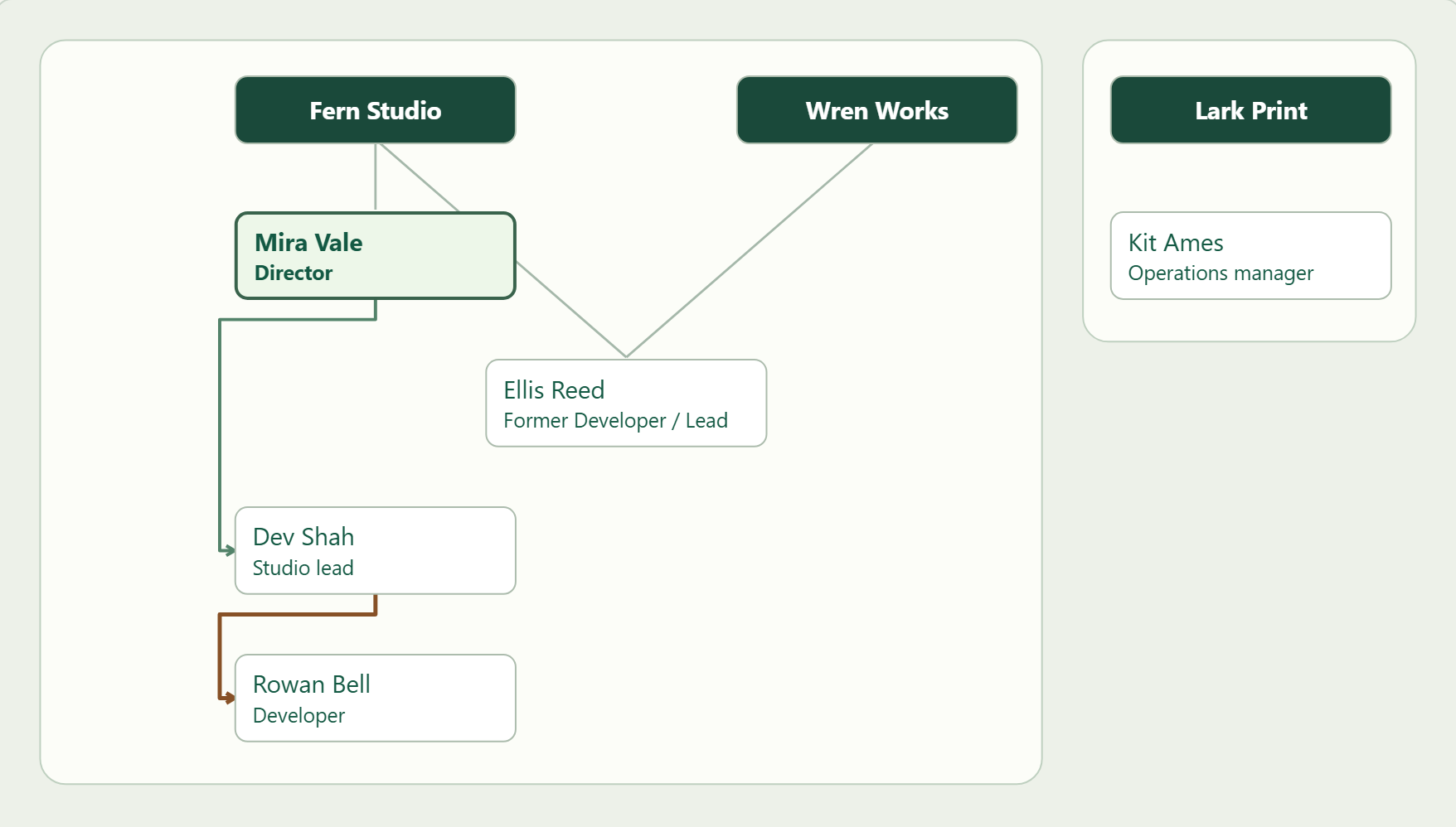
Start with what happens when someone moves. Give Ellis one record and attach each work email to his role at the time. When he leaves Fern Studio for Wren Works, close the Fern role and add the Wren role. Next time someone finds an old email from Ellis, it still leads to the right person.
Who does Rowan report to?
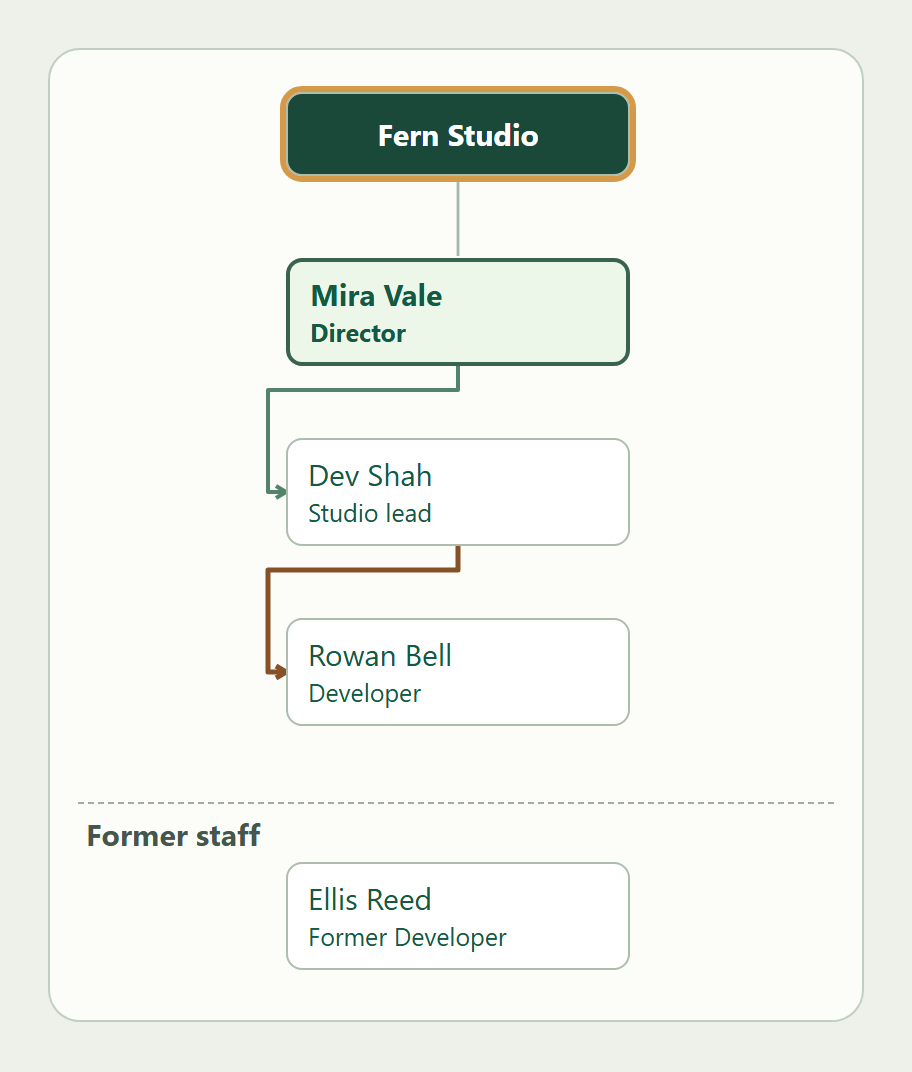
Fern gives us three names. Mira Vale runs the studio, Dev Shah leads the team and Rowan Bell is a developer. We can record Mira as the director straight away. We draw the direct reporting line from Dev to Rowan once Fern confirms that Dev manages Rowan.
Give those two lines different meanings in the brief for your CRM. If all you know is that someone works at Fern, a place on the chart is enough. Leave their direct manager open until you know. Ellis stays visible under former staff for anyone looking up an older job.
Who gets the change request?
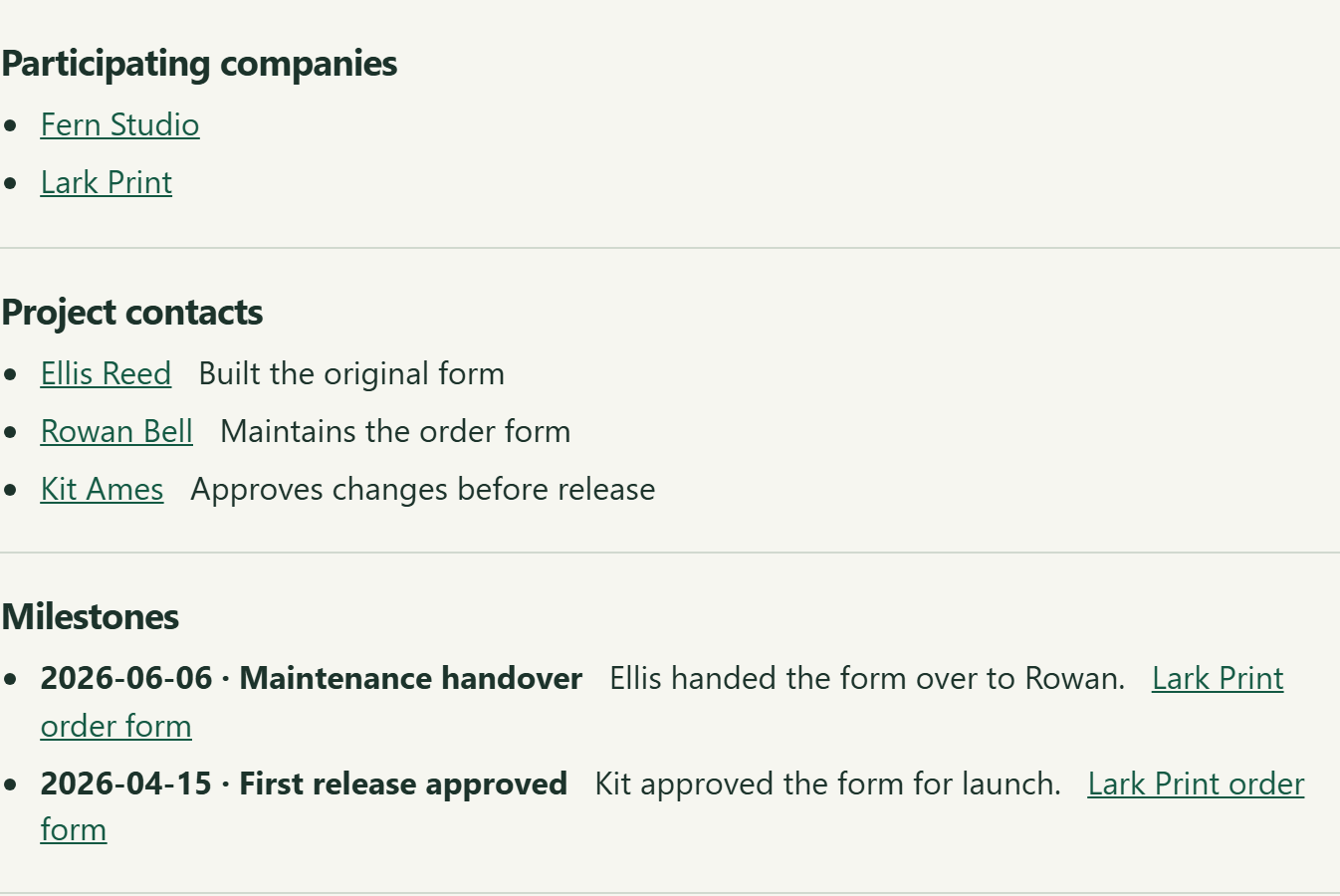
The project record gives us the two names we need. On 6 June, Ellis handed maintenance of the order form to Rowan. Kit Ames, Lark’s operations manager, approved the first release in April and still signs off on changes.
Send the delivery-date change to Rowan and the revised form to Kit for approval. If Rowan needs to know why the field was built that way, Ellis is still listed as the original developer.
Put each responsibility on the project it belongs to. A short handover entry with the date and both names gives the next person enough context to act.
Who could make the next introduction?
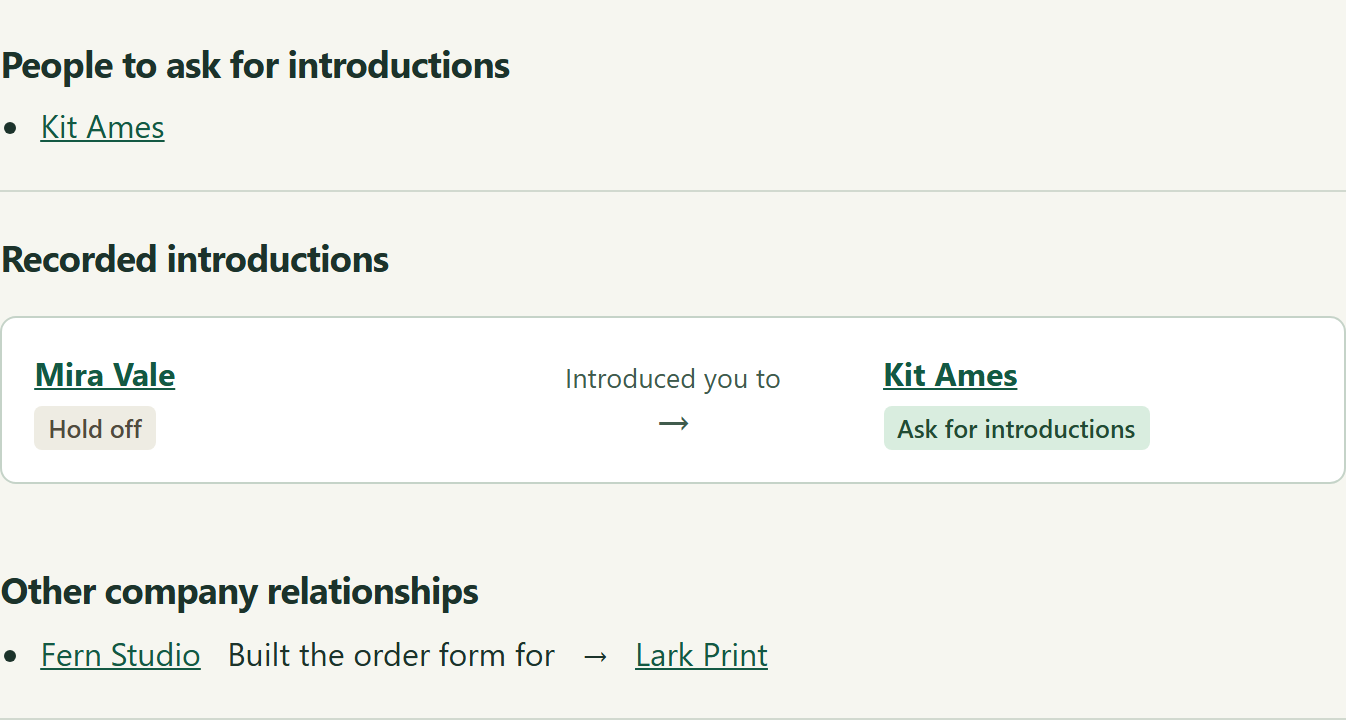
Mira at Fern introduced us to Kit at Lark while the two companies were working on the order form. Later, Kit offered to put us in touch with another print business. We’d like to take Kit up on that and hold off on asking Mira for more introductions.
Record who made the introduction and whom you met. Keep the follow-up decision on each person’s record. Then, when it’s time to ask Kit, you can pick up the conversation where you left it.
What would your tool need to remember?
Think of the last time someone had to ask around before they could get on with a job. Three sentences about that moment make a useful first brief.
Here’s Lark’s version. “When our order form needs changing, who fixes it and who can approve it? Today we search the launch emails and the handover thread. On the project screen we’d like to see the current maintainer, the approver and the date responsibility changed hands.”
If you have a question like this in your business, send us the messy version. We can work through what your tool would need to show.
Talk to EasierIT about your tool